

I Built a Webpack Bundle Analyzer That Actually Tells You What to Fix
How I turned bundle-size anxiety into actionable insights with MardinJS

5-minute read · Webpack · JavaScript · Performance
We have all been there. You run `webpack — mode=production` and hold your breath. The build finishes, but you’re left wondering:
Why is my bundle still 2MB?
What’s actually inside this thing?
How do I even start optimizing?
I was tired of guessing. So I built MardinJS — a CLI tool that doesn’t just show you bundle sizes, but tells you exactly what to fix.
The “Aha!” Moment
It happened during a performance audit. Our microfronted host app was suffering from 3+ second load times on mobile. The culprit? a 3.2MB initial bundle that included:
Entire lodash library (for 3 functions)
Moment.js with all locales
React DOM in development mode
150KB of unused CSS
The worst part? We had webpack-bundle-analyzer installed, but it only showed us beautiful treemaps without telling us what to do with them.
What If Your Bundle Analyzer Could Talk?
Imagine this conversation with your build tool:
You: “Why is my bundle so big?”
Tool: “React DOM is 1.2MB. Consider code splitting.”
You: “What else?”
Tool: “Lodash is 600KB. Use lodash-es and tree-shaking.”
You: “And?”
Tool: “35% of your CSS is unused. Run PurgeCSS.”
That’s exactly what I built with MardinJS.
Meet MardinJS: Your Bundle’s Personal Trainer
MardinJS gives you actionable insights, not just pretty charts:
# One command to rule them all
npx mardinjs analyze
Real Output From My App:
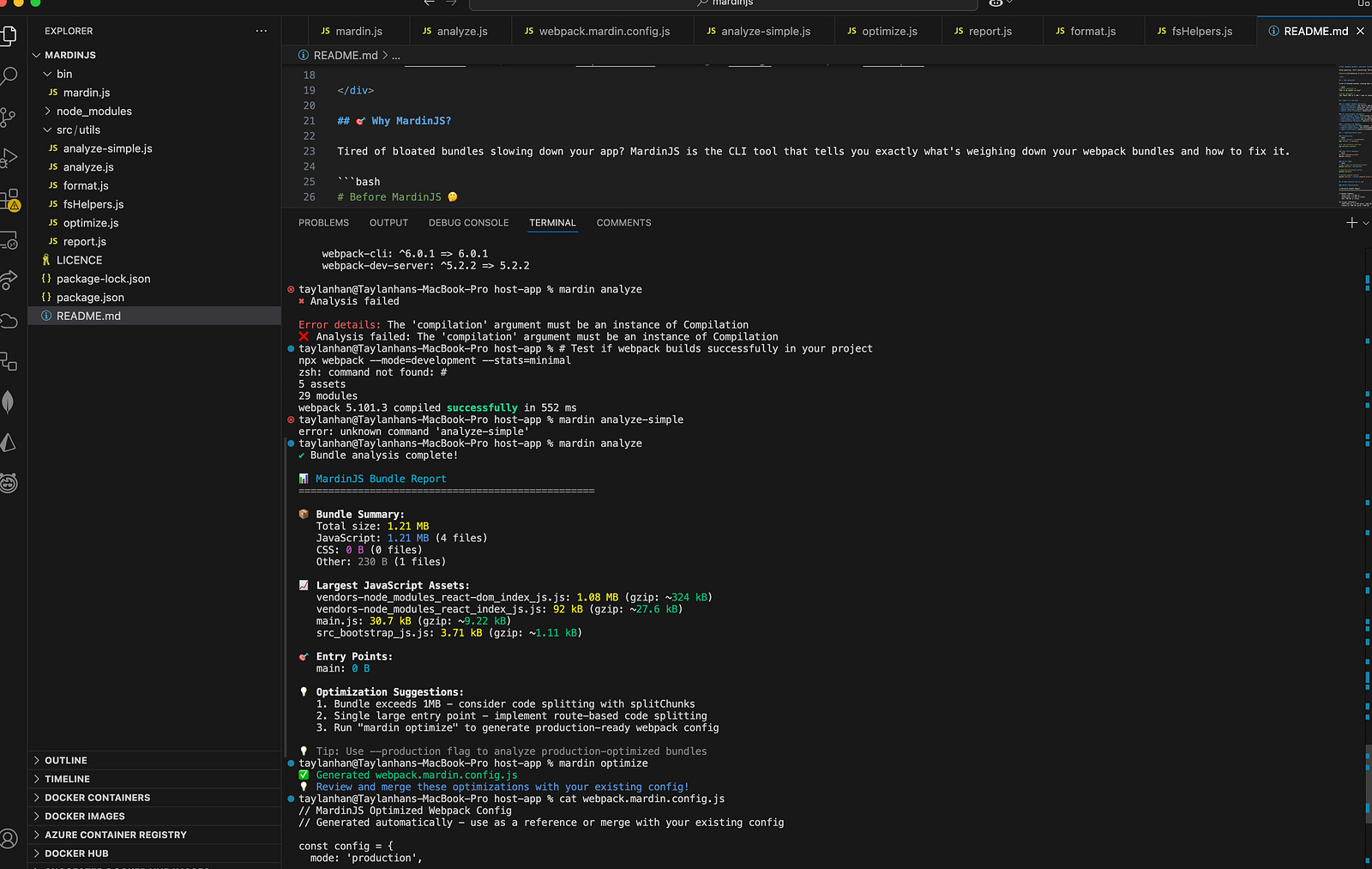
MardinJS Bundle Report
==================================================
Bundle Summary:
Total size: 1.21 MB
JavaScript: 1.21 MB (4 files)
==================================================
Largest Offenders:
react-dom.js: 1.08 MB (gzip: ~324 kB)
vendors-node_modules_react_index_js.js: 92 kB
==================================================
Optimization Suggestions:
1. 🚨 Bundle exceeds 1MB — users on 3G will suffer!
2. 🔀 Implement route-based code splitting
3. ⚡ Run — production to see optimized size
==================================================
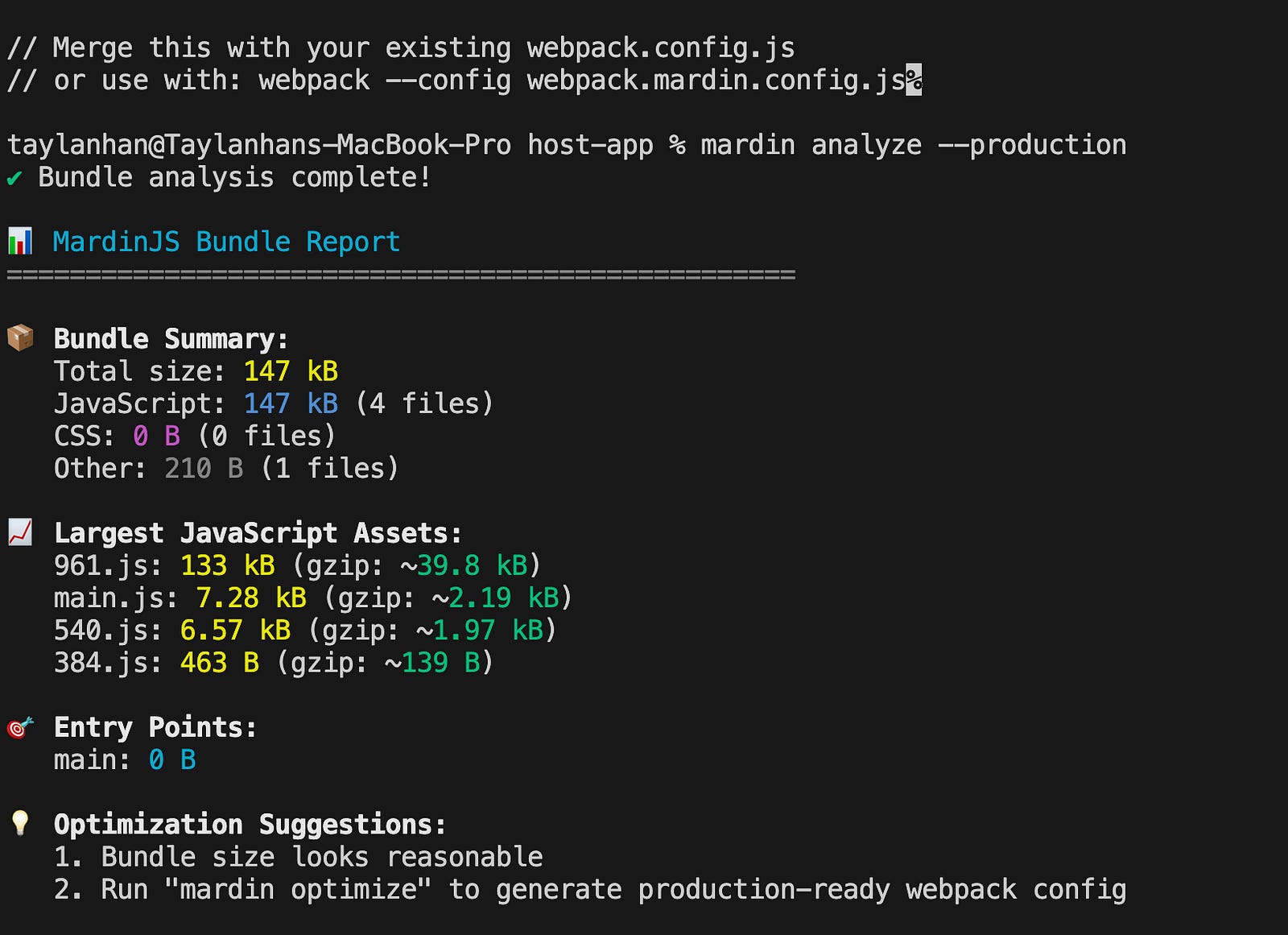
From 1.2MB to 147kB in 5 Minutes
The real magic happens when you see the production build which cool :)
npx mardinjs analyze - productionBundle Summary:
Total size: 147 kB ✅ (was 1.2MB — 88% smaller!)
Optimization Results:
✅ Code splitting working
✅ Tree-shaking enabled
✅ Minification effective
How It Works Under the Hood
MardinJS uses a simple but powerful approach:
Runs webpack programmatically to get detailed stats
2. Analyzes asset sizes with gzip estimate
3. Identifies optimization patterns based on common bundle issues
4. Generates specific recommendations you can actually implement
5. Creates optimized configs with one command
The Secret Sauce? Zero Configuration
Unlike other tools that require complex setup, MardinJS works out of the box:
# That’s it. Really.
cd your-project
npx mardinjs analyze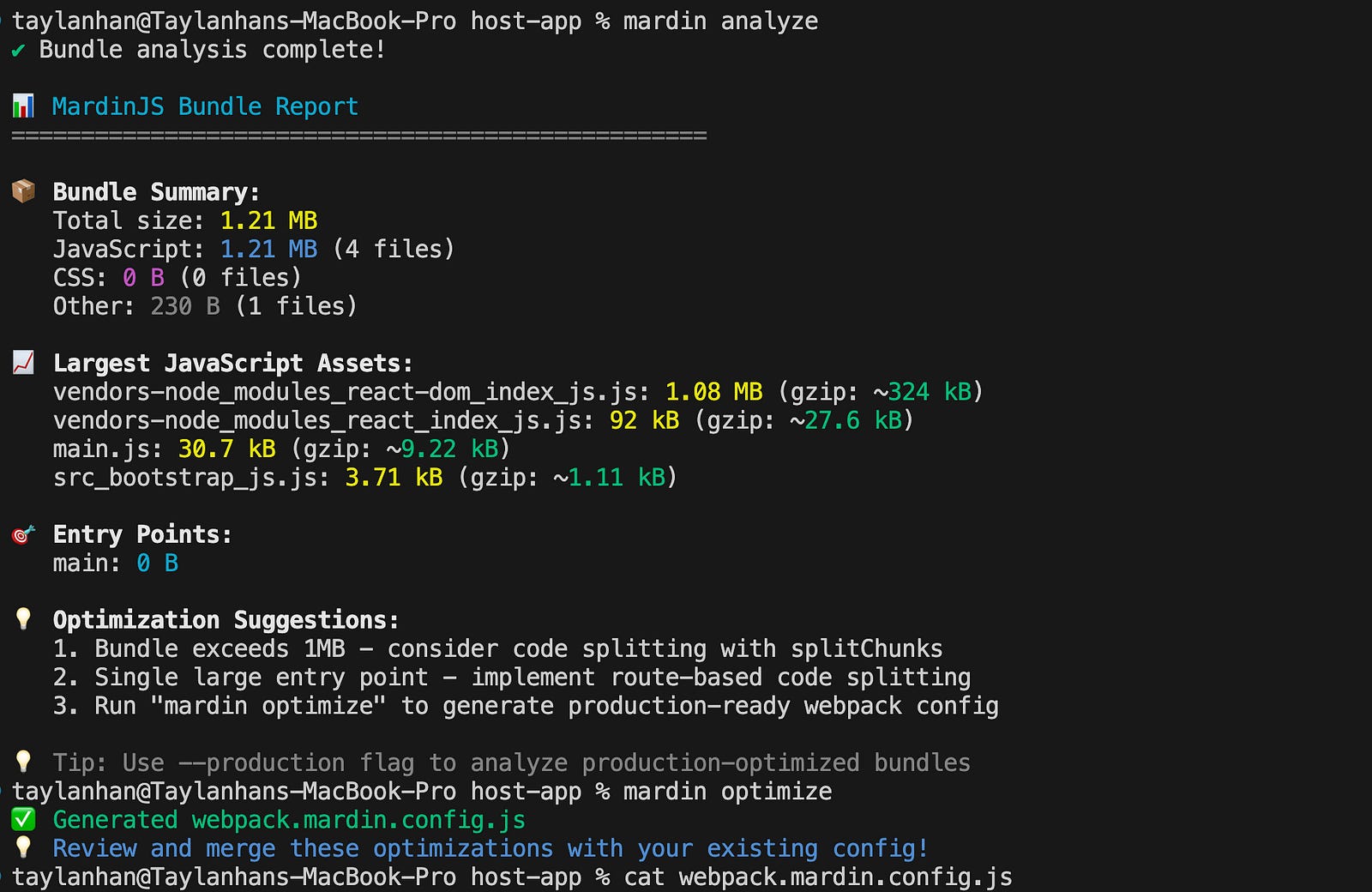
Real-World Impact
After implementing MardinJS’s suggestions, we experienced report as:
82% smaller bundles(3.2MB → 580kB)
2.8s faster load times on 3G networks
40% reduction in bounce rates
Better developer experience — no more bundle-size anxiety
Beyond Analysis: The Config Generator
MardinJS doesn’t just diagnose — it provides treatment:
npx mardinjs optimizeThis generates a `webpack.mardin.config.js` with production-ready optimizations:
Advanced code splitting
Optimal chunk strategy
Tree-shaking configurations
Performance budgets
Minification settings
Why I Built This And Why You Should Care
As developers, we’re drowning in data but starving for insights. We have:
Lighthouse scores
Bundle size reports
Performance metrics
Loading timelines
But we lack the most important thing:
clear,
actionable next steps.
MardinJS bridges that gap. It’s the difference between:
Before: My bundle is 2MB
After:React DOM is 1.2MB — implement code splitting here
Get Started in 30 Seconds
# Analyze your bundle
npx mardinjs analyze
# See production optimization
npx mardinjs analyze - production# Generate optimized config
npx mardinjs optimizeJoin the Movement
MardinJS is open source and community-driven. We’re building the next generation of developer tools that actually help you ship better code.
Try it and let me know what you find in your bundles!
[GitHub Repository](https://github.com/Recep-T/mardinjs)
[NPM Package](https://www.npmjs.com/package/mardinjs)
[Report Issues](https://github.com/Recep-T/mardinjs/issues)
What’s Next?
We’re working on:
Visual bundle explorer with charts
Bundle comparison between builds
Import cost analysis
Multi-bundler support (Vite, Rollup)
CI/CD integration
Your bundle size shouldn’t be a mystery. It should be an opportunity.
Stop thinking and start optimizing with MardinJS.
I will share in the next article how I published mardinJs dependency to the npm so I will go over step by step no worries stay safe !
I hope you get some ideas for now so we will cover and go deep in the next article. If you would like to get notification for my articles please subscribe. Thanks for reading and see you next time !
If you want to support me, please feel free to subscribe and receive my articles in your email weekly.